Demo access
04 · OPERATEOPS schedule

The day’s deployment plan. In a few clicks.

The OPS schedule takes over the data from the shift pattern, the sector plan (WP) and the roster on its own. Supervisors and shift leads draft an operational deployment plan with no effort and a few clicks — and adapt it at any time.

Sources

Three sources. Taken over on their own.

  1. 01
    Shift patternWhat must be staffed each day. Shift pattern
  2. 02
    Sector plan (WP)Which positions are open, and when. Sector plan (WP)
  3. 03
    RosterWho is on duty. Roster

Deployment plan

Drafted in a few clicks. Adapted at any time.

With no effort and a few clicks, the supervisor or shift lead drafts the operational deployment plan — and adapts it at any time.
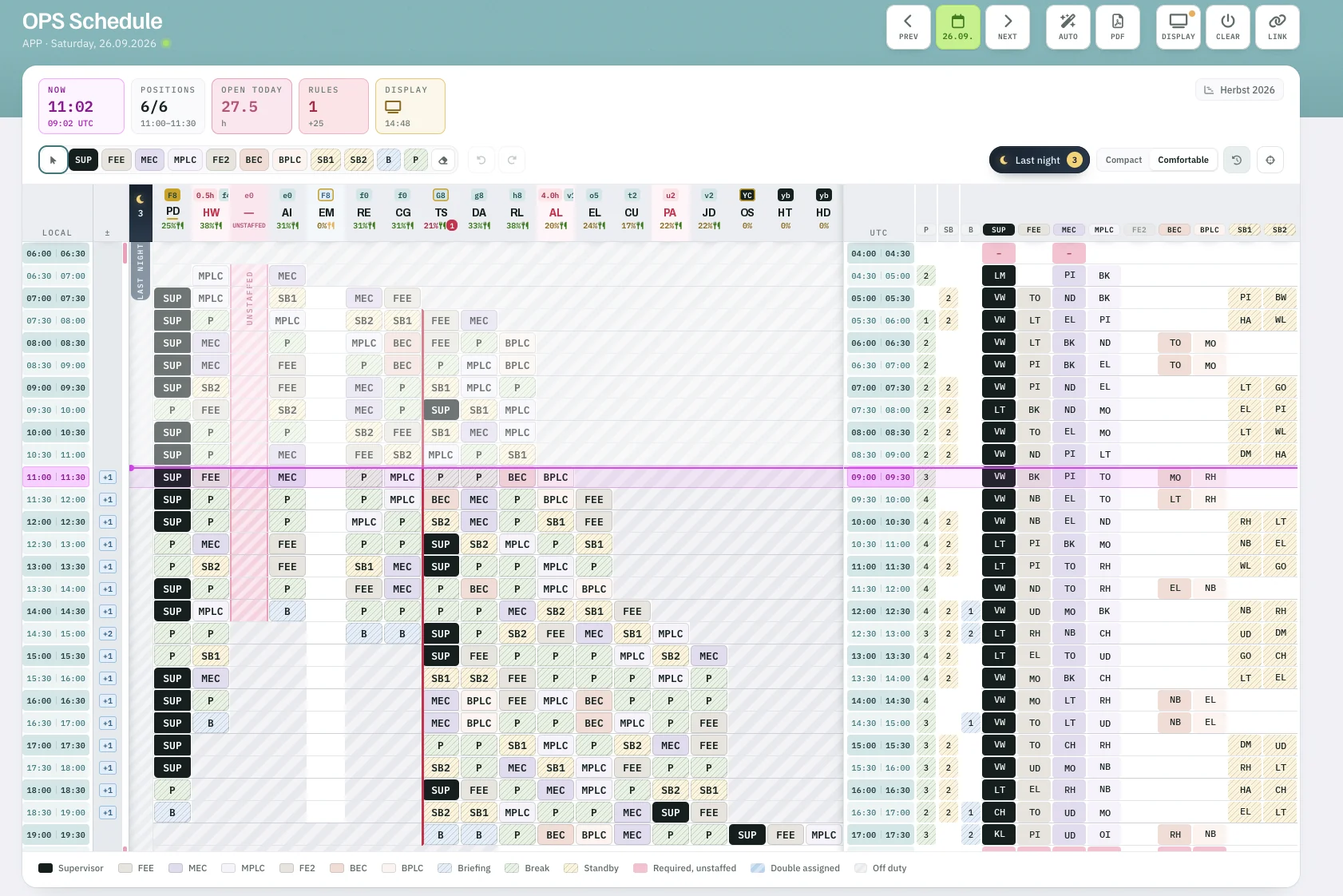
Rostify OPS schedule for APP on Saturday 26.09.2026 with NOW line, last night handover, unstaffed position and UTC view
FIG. 01 — OPS schedule · APP · Saturday 26.09.2026, 11:02 LCLScreenshot · initials anonymised
  1. 1NOW in local time and UTC.
  2. 2Positions staffed, open hours today, rule hits.
  3. 3Last night — handover from the night duty.
  4. 4Required but unstaffed — impossible to overlook.
  5. 5NOW line across every position.
  6. 6UTC view: who is on which position.
  7. 7Display mode and share link for the ops room.

Automatic

Planned automatically — by your rules.

If desired, the day plan is planned automatically according to criteria defined offline. A rule set such as EUROCONTROL guidance or works agreements can be built in.

OPS schedule toolbar: PREV, date, NEXT, AUTO, PDF, DISPLAY, CLEAR and LINK
FIG. 02 — Toolbar · AUTOScreenshot
  • Criteria defined offline
  • EUROCONTROL guidance
  • Works agreements

Display & record

On screen. And on record.

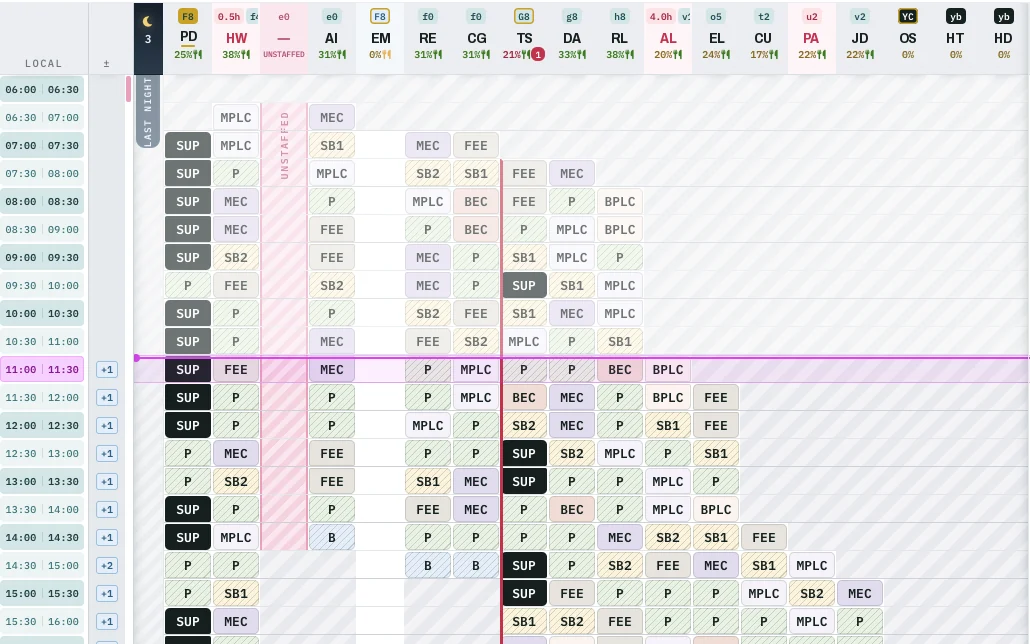
OPS schedule grid as shown on an ops room display

On screen at the push of a button.

The deployment plan can be coupled with a display system and displayed at any time at the push of a button.

Time at the CWP. Recorded.

In the background, the deployment plan records working time at the CWP (Controller Working Position) — ready for evaluation.

OPS schedule

From the roster to the position.

Request demo access →