07 · CREWExchange · shift swaps
Shift swaps. Fully automated. Error-free.
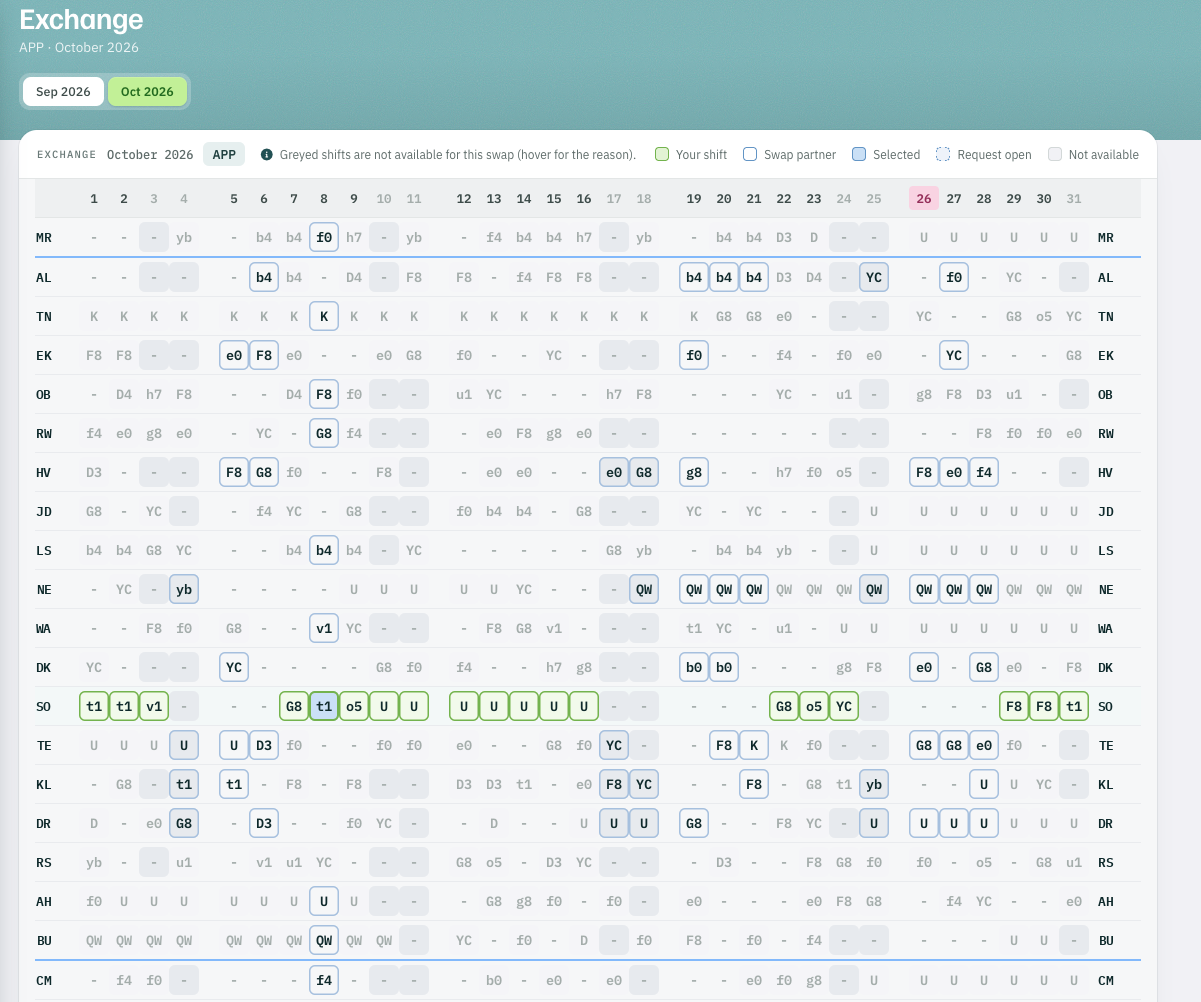
The smart grid shows only people who are available for the swap under every defined rule. Intuitive and clear. Communication during the swap runs via push or SMS.
- 01ChooseOnly available people in the grid.
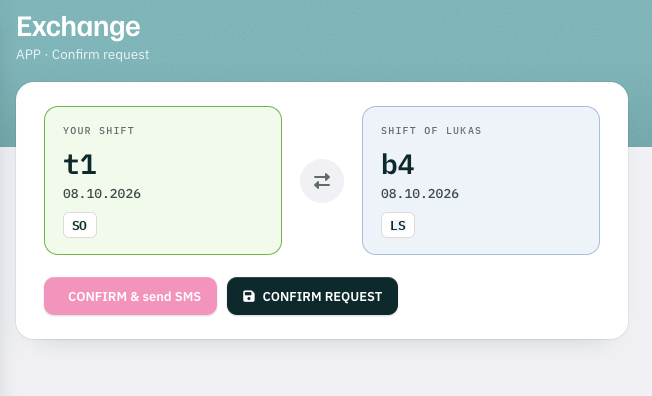
- 02RequestPush or SMS to the swap partner.
- 03Re-checkAll rules again before the final entry.
- 04EnteredThe swap is in the roster.
The smart grid
Only who is really available.
The grid shows only people who are available for the swap under every defined rule.
- 1Your shift t1 on the 8th, selected
- 2Swap partner b4 on the same day — available
- 3Greyed not available for this swap; hover shows the reason
Request and confirm
Push or SMS. Then one more check.
Communication during the swap runs via push or SMS.
Live
Planners follow along. Supervisors see the shift.
Roster planner
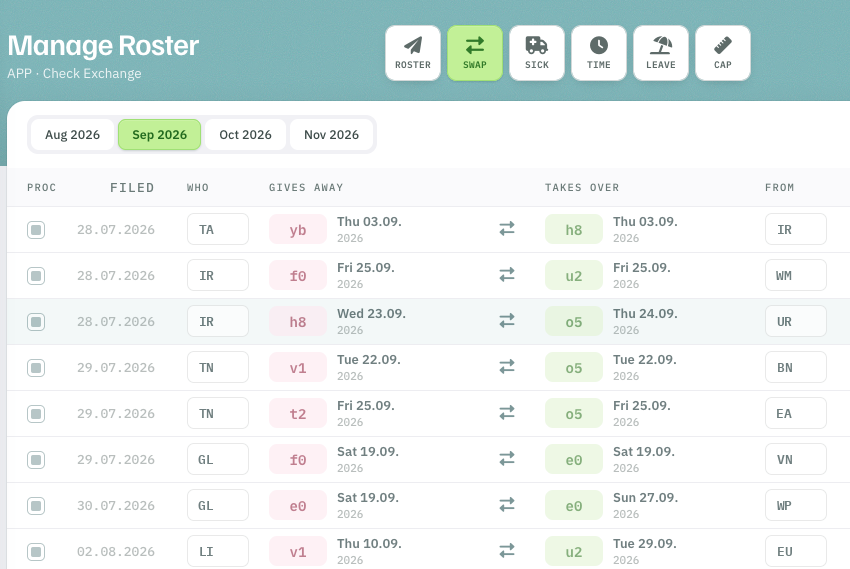
Roster planners can always follow the swaps live.
- 1Gives away shift and day handed over
- 2Takes over shift and day taken in return
Supervisor
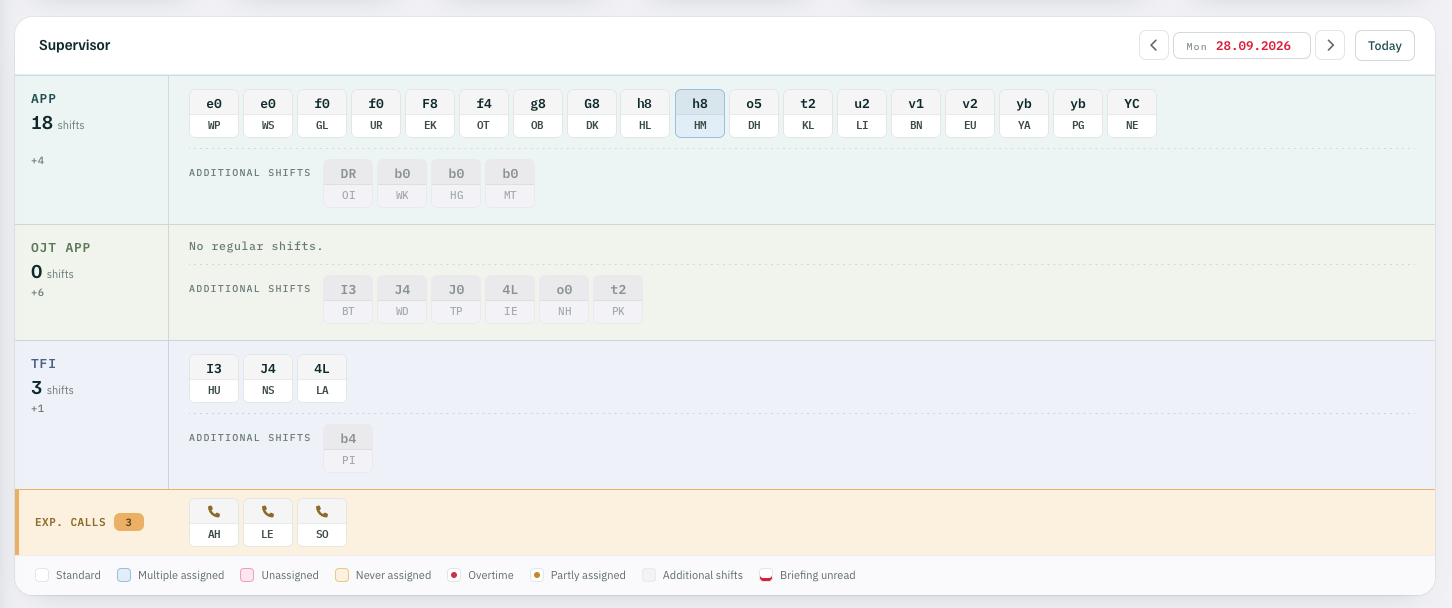
Supervisors always have the full overview of the current shift in their dashboard.
Exchange