07 · CREWMy Roster · app and browser
Your roster. In the app and the browser.
View your own roster, enter requests in open rosters, see the rosters of trainers and trainees anonymised, apply for leave, load the current roster as .ics into your calendar. My Roster offers all of this in the browser and in the app.
All in one place
Five things, one login.
- 01 Your own rosterView your roster — month by month.
- 02 Requests in open rostersEnter requests while the roster is open.
- 03 Trainers and traineesSee their rosters — anonymised.
- 04 LeaveApply for leave directly.
- 05 Calendar (.ics)Load the current roster into your calendar.
Browser
My Roster in the browser.
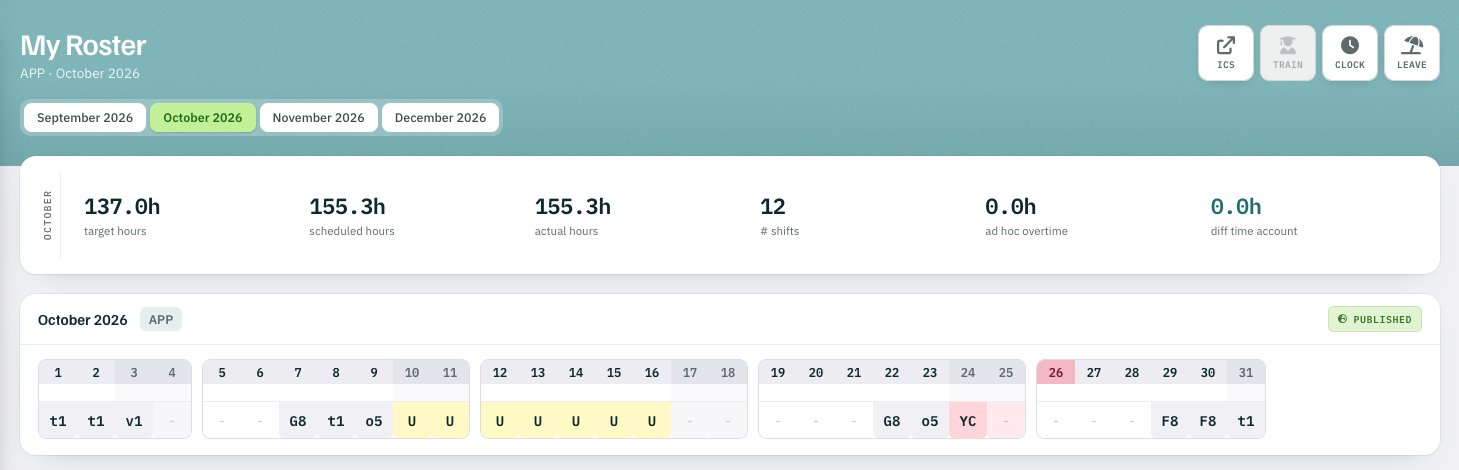
Target, scheduled and actual hours at a glance — with the month and every shift.
- 1ICS current roster into your calendar
- 2TRAIN trainer and trainee rosters
- 3CLOCK time clock
- 4LEAVE apply for leave
App
My Roster in the app.
The same roster on the phone — from the same database.
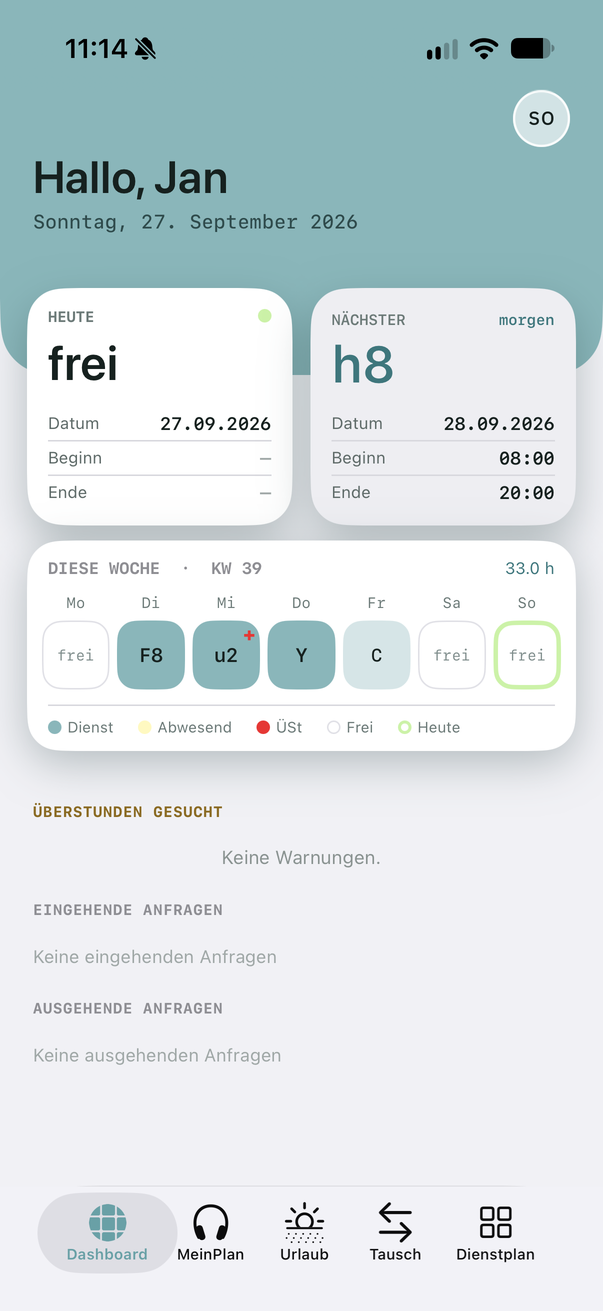
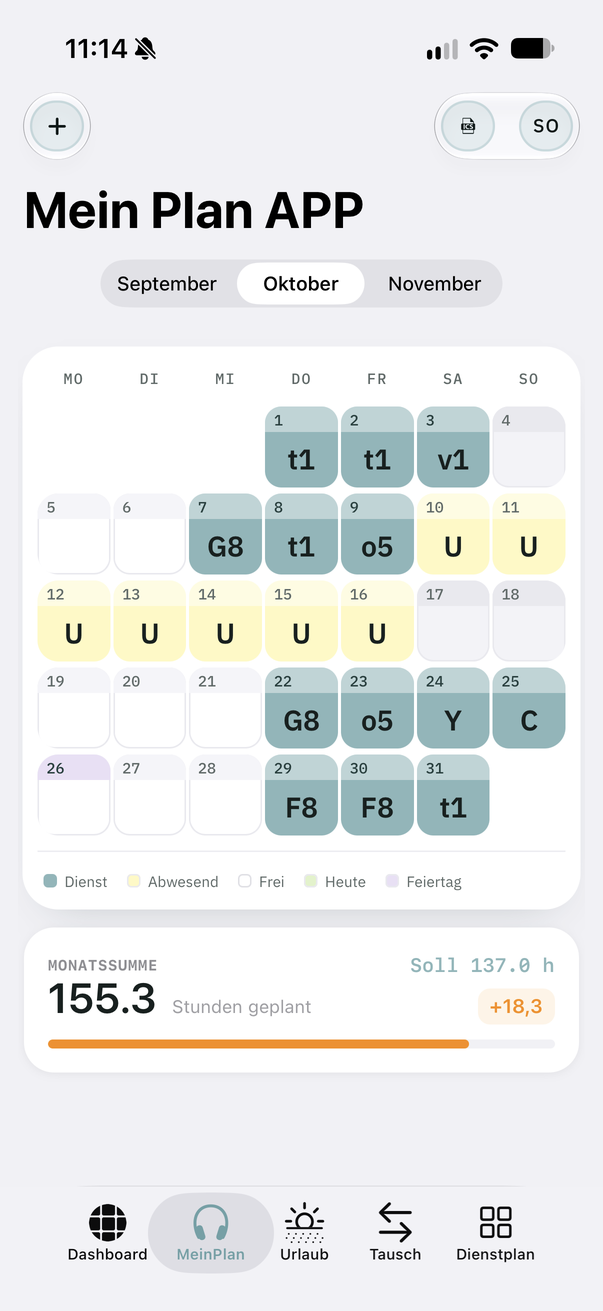
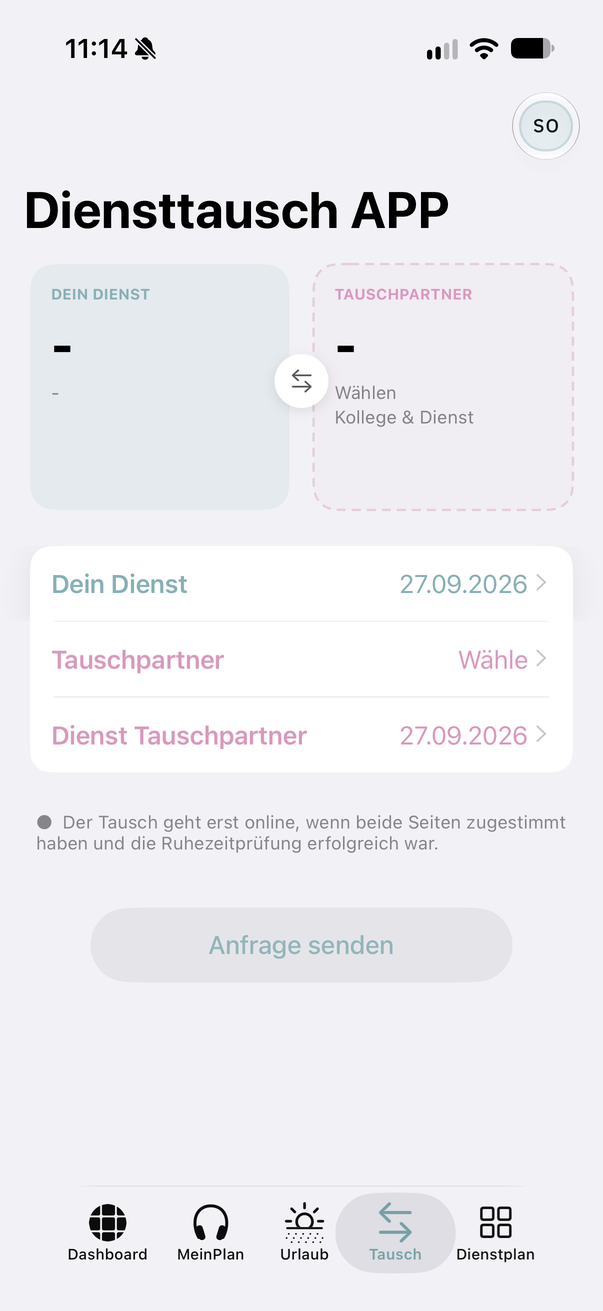
Screenshots · names and initials anonymised
Crew