Demo access
02 · ROSTERSick leave and replacement

One sick call. Every affected shift, listed.

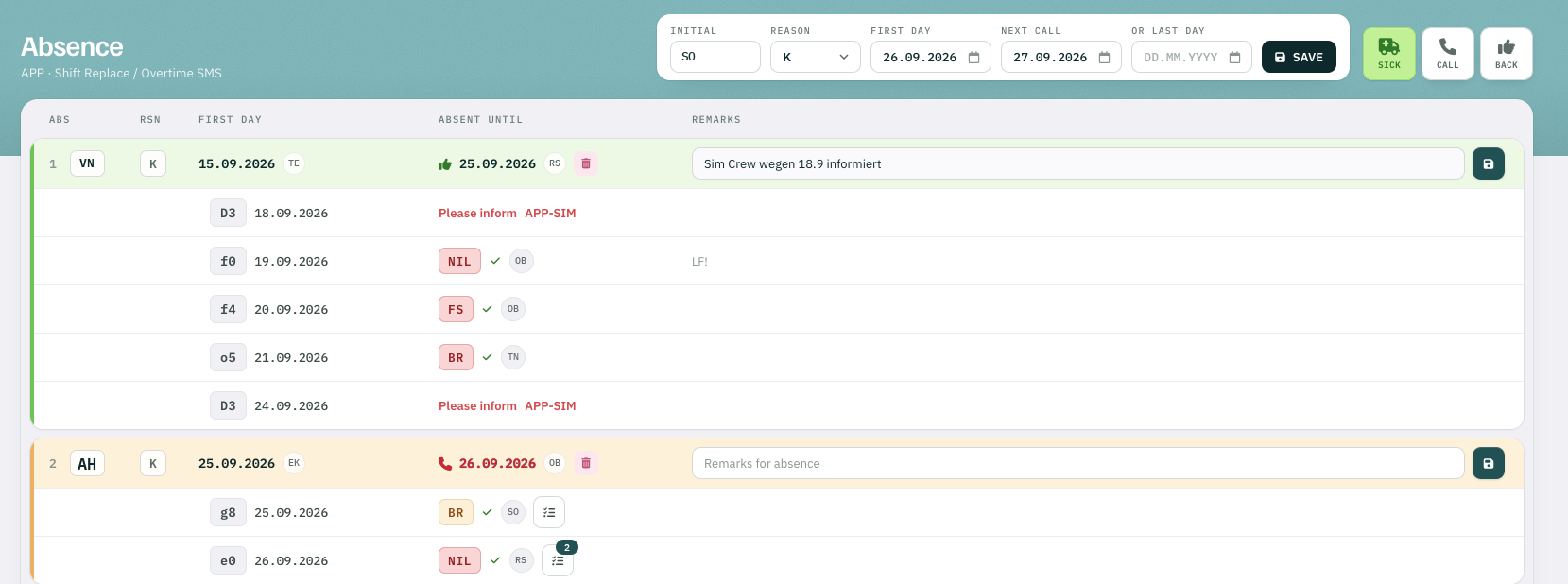
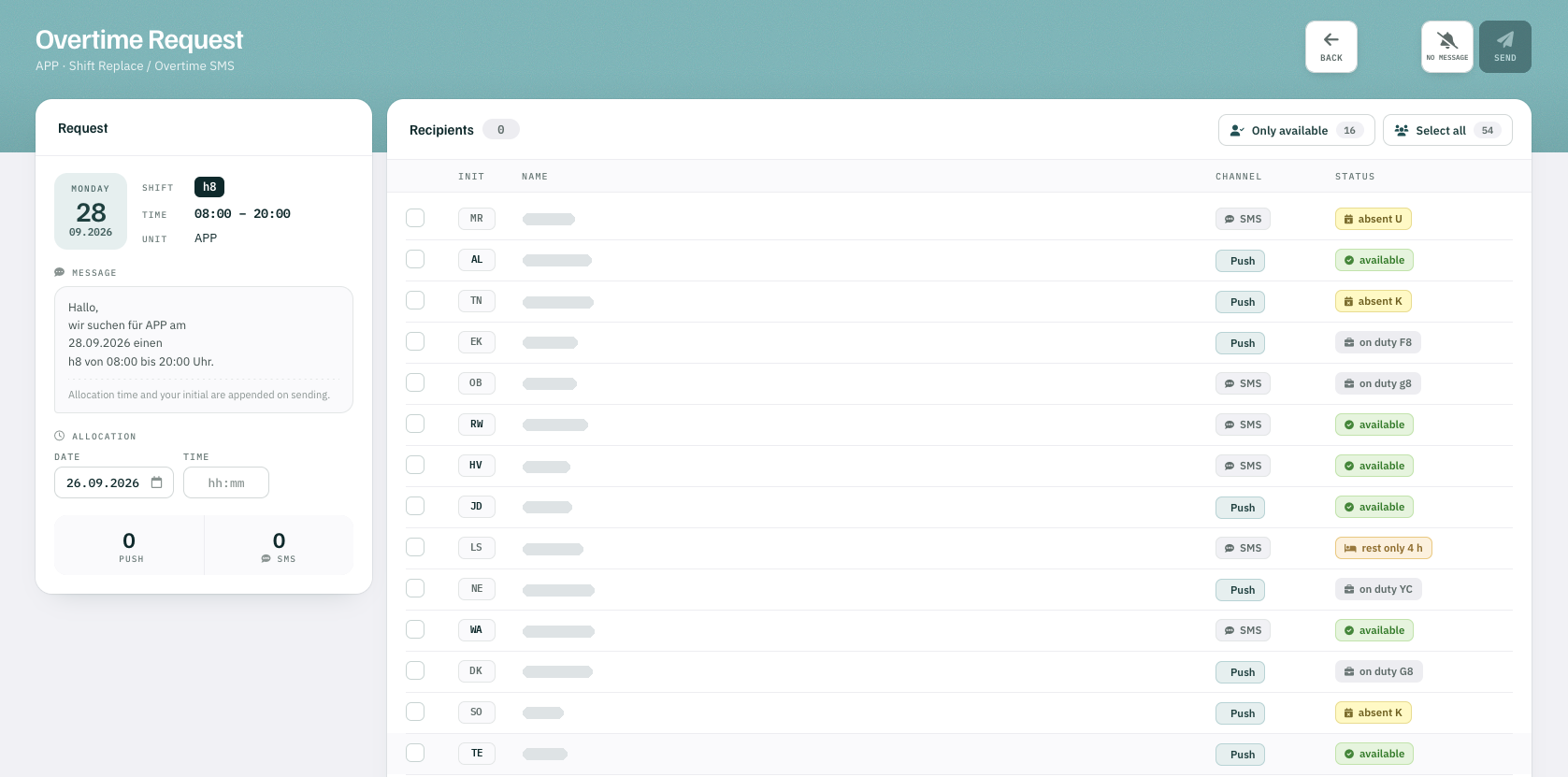
Enter the sick call with one click — with the day the controller will call again, or the last day of absence. Rostify immediately lists every shift that needs cover. Release a shift and staff respond electronically or by phone. While responses come in and when the replacement is entered, rest-time compliance is checked automatically.

  1. Report. One click — with the day of the next call or the last day of absence.
  2. List. Every shift that now needs cover, at once.
  3. Release. Staff respond in the app, by push or SMS — or call in.
  4. Check. Rest time is verified for every response and every assignment.
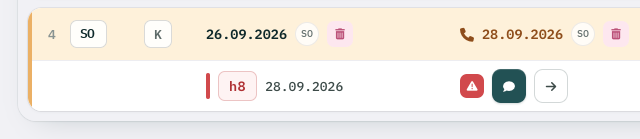
Open shift h8 after a sick call, with buttons to release it to staff or assign it directly
FIG. 01 — Open shift after a sick call · release or assignInitials anonymised
Rostify absence list for APP: sick calls with next call or last day, the affected shifts and their replacements
FIG. 02 — Absence · APP · sick calls, affected shifts, replacementsScreenshot · initials anonymised
Rostify overtime request for shift h8 on 28.09.2026: recipients with push or SMS channel and their status, including rest-time limits
FIG. 03 — Overtime request · h8 · 28.09.2026 · push and SMSScreenshot · names anonymised

Next step

Bring one month of your roster.

Show us your shift logic and we’ll rebuild it in Rostify shortly — with your shift codes, your roster, your licences, your requirements. No complex installation. You get limited demo access and see for yourself.

Request demo access →