Demo access
02 · ROSTERLeave planning

Apply. Check. Decide.

Planned absences such as leave are applied for by staff directly. Roster planners or managers decide — and approved absences go straight into the roster.

Apply

Straight from the staff member.

Planned absences such as leave can be applied for directly by the staff member.
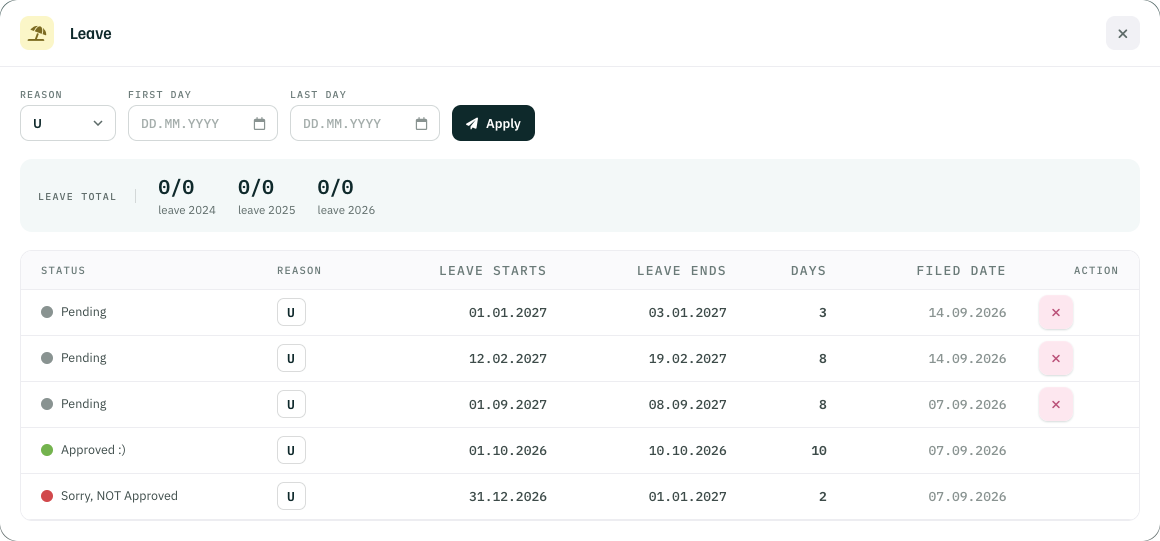
Leave dialog in My Roster: reason, first and last day, Apply; leave total per year; requests with status pending, approved and not approved
FIG. 01 — Leave in My Roster · status per requestScreenshot

Check

Against the medium-term resource plan.

Before deciding, roster planners or managers review the medium-term resource planning — heads left, demand and leave, day by day.
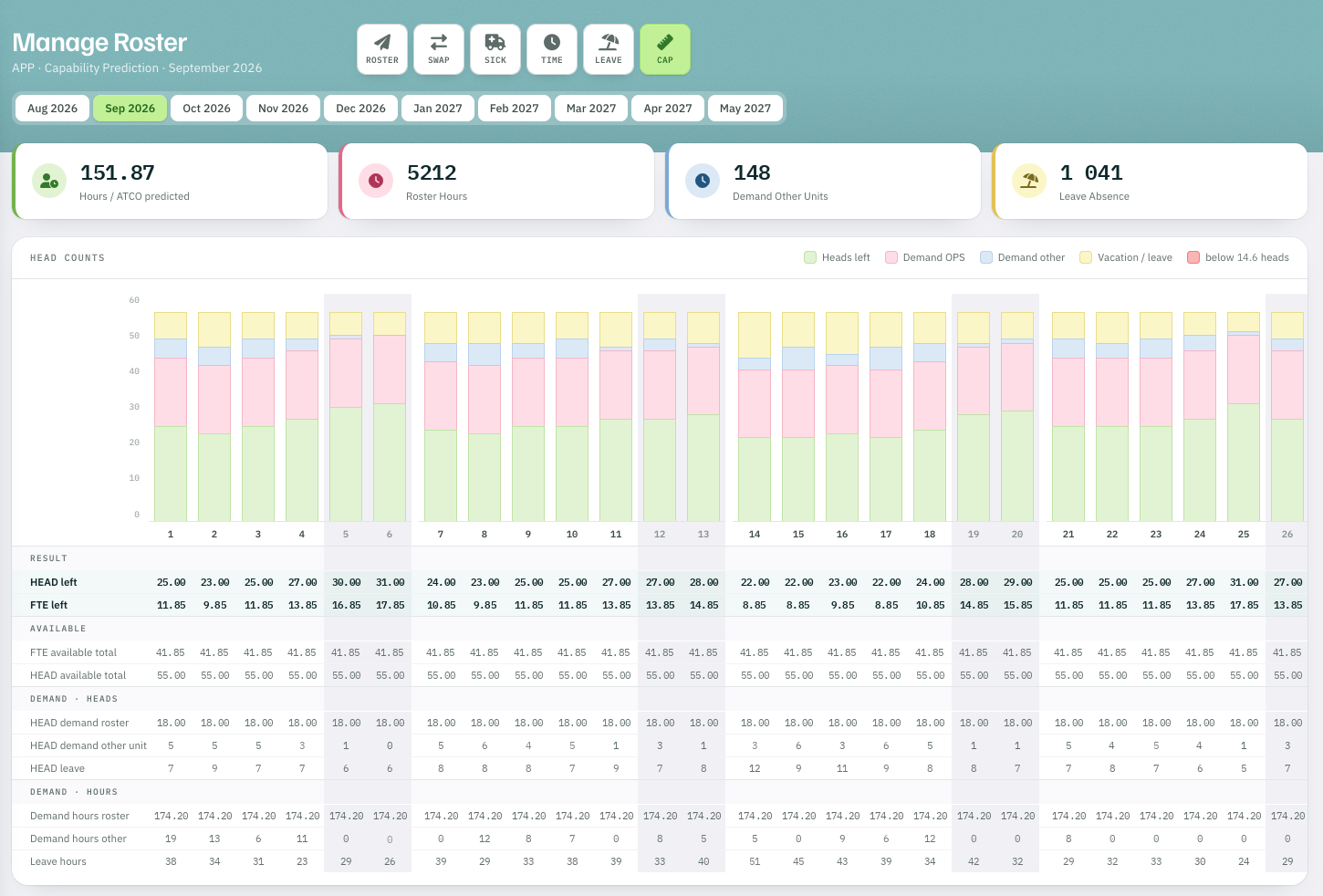
Capability Prediction September 2026: heads left, OPS demand, other demand and leave per day, with hours per ATCO predicted (illustrative figures)
FIG. 02 — Capability Prediction · September 2026Screenshot · illustrative

Decide

Approve, decline or keep pending.

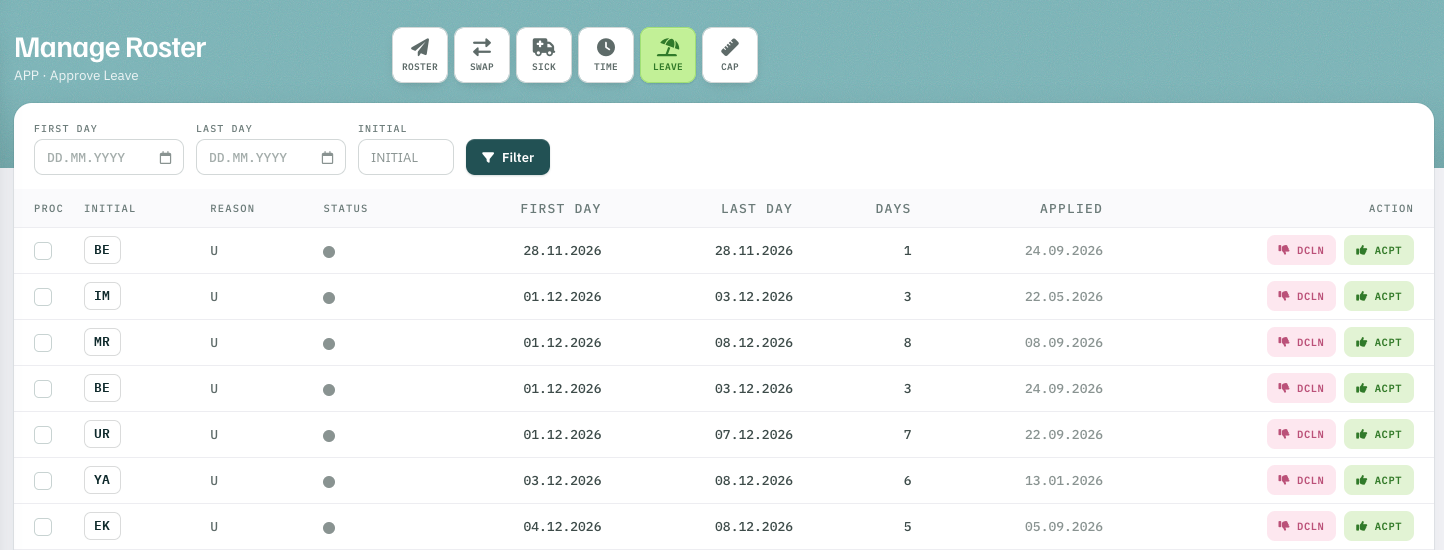
Roster planners or managers approve the absence, decline it or leave it pending.

  • Approve
  • Decline
  • Keep pending
Manage Roster, Approve Leave: list of leave requests with first and last day, days, applied date and the actions decline and accept
FIG. 03 — Approve Leave · decline or accept per requestScreenshot

Then

Approved absences go straight into the roster.